The free download manager that works like IDM, on Windows, macOS and Linux
UDM (Unified Download Manager) fetches each file over up to 16 connections, resumes after interruptions, catches downloads from your browser and saves streamed videos as one file. Open source, with no ads, no trial and no sign-up.
- Windows 10 and 11
- macOS 11 or later, experimental
- Linux Ubuntu, Debian, Fedora and more

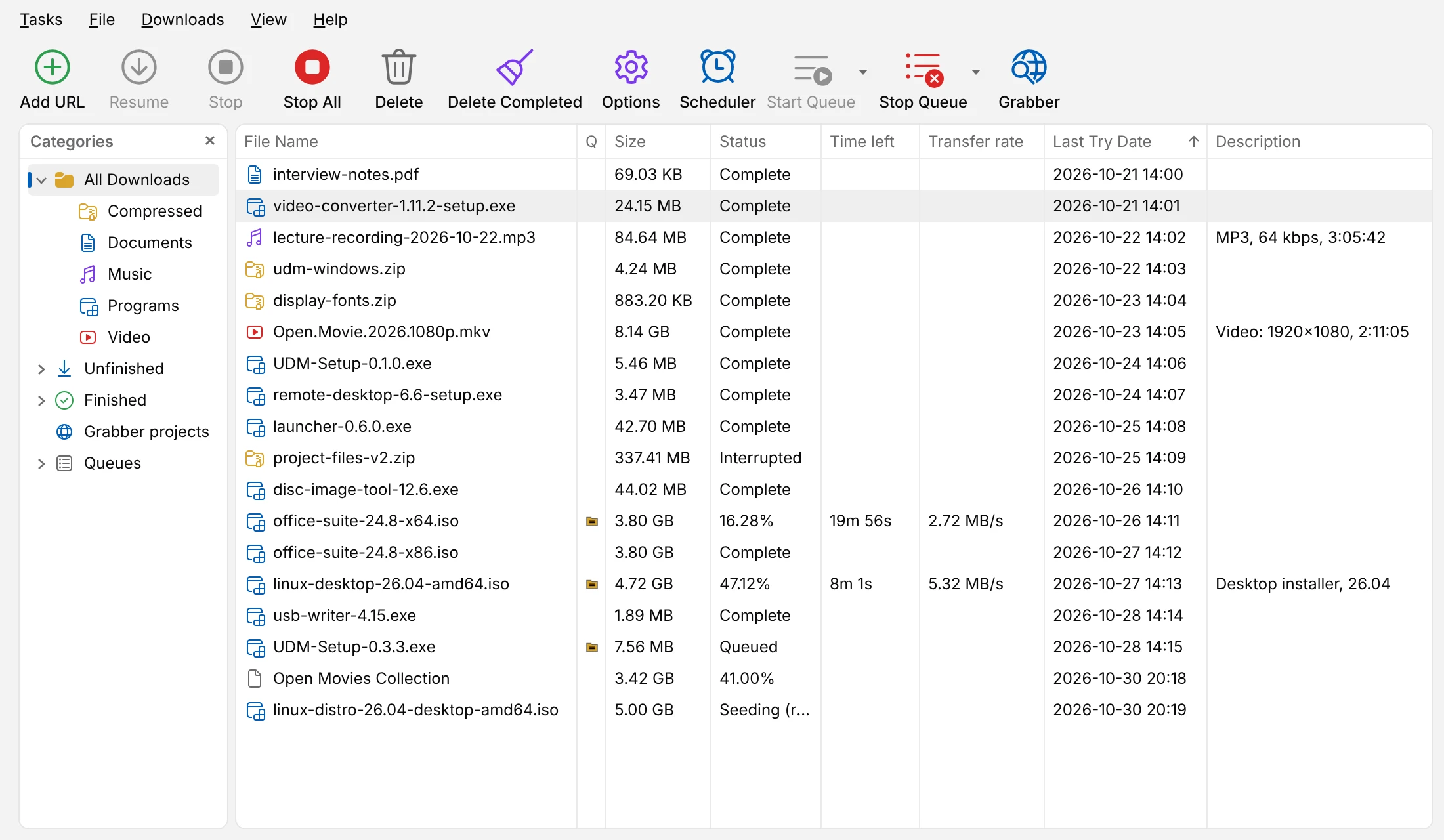
Nothing new to learn
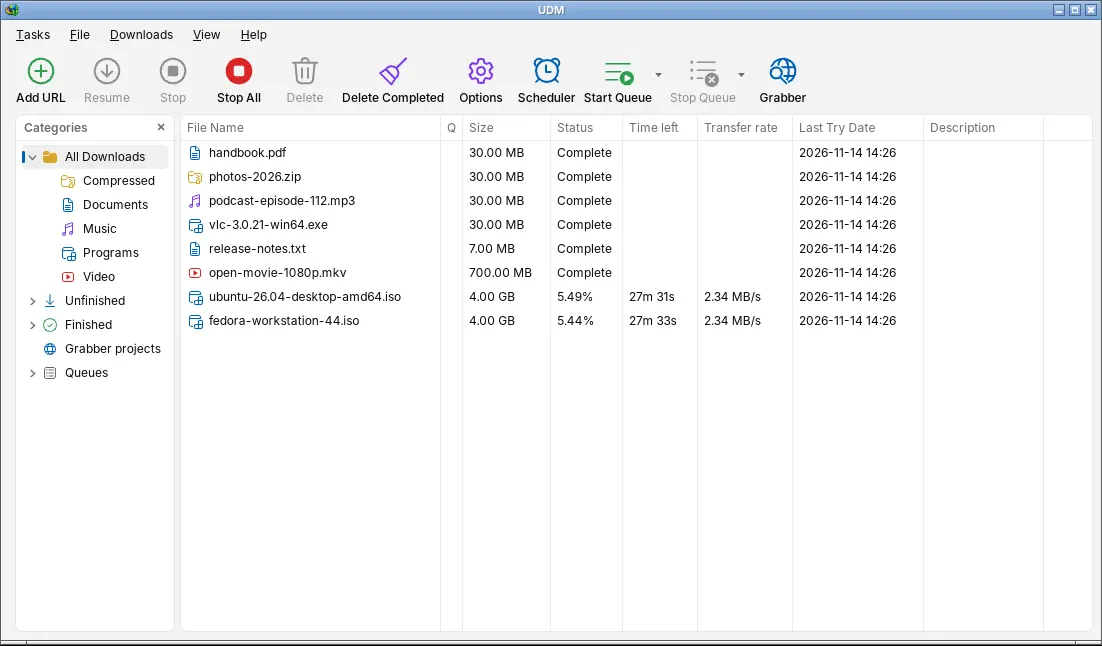
The browser hands its downloads over, a save-as dialog asks where they go, and the categories, queues, scheduler and download windows are where IDM users expect them.
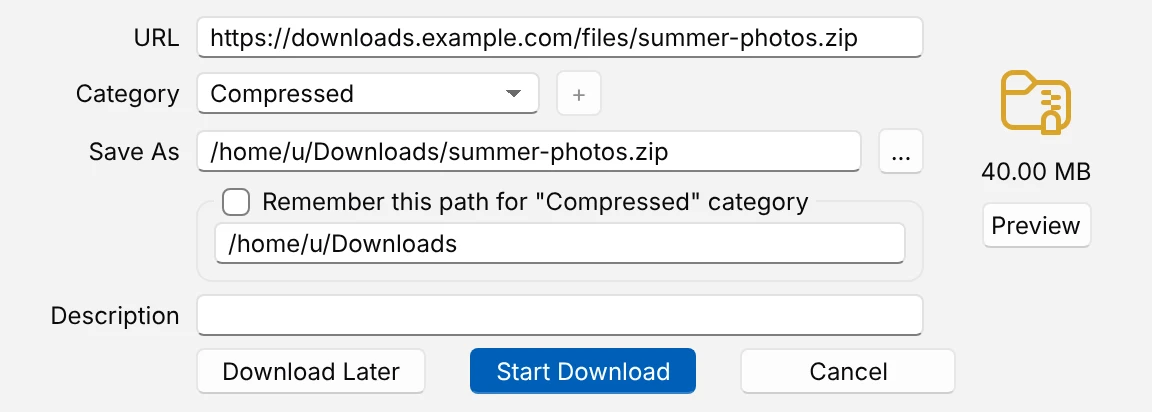
Catch downloads from the browser
The extension hands downloads from Chrome, Edge, Brave, Vivaldi, Opera, Firefox and Safari to UDM with their cookies and referrer, so files behind a sign-in work. Download File Info then asks for the name, category and folder.
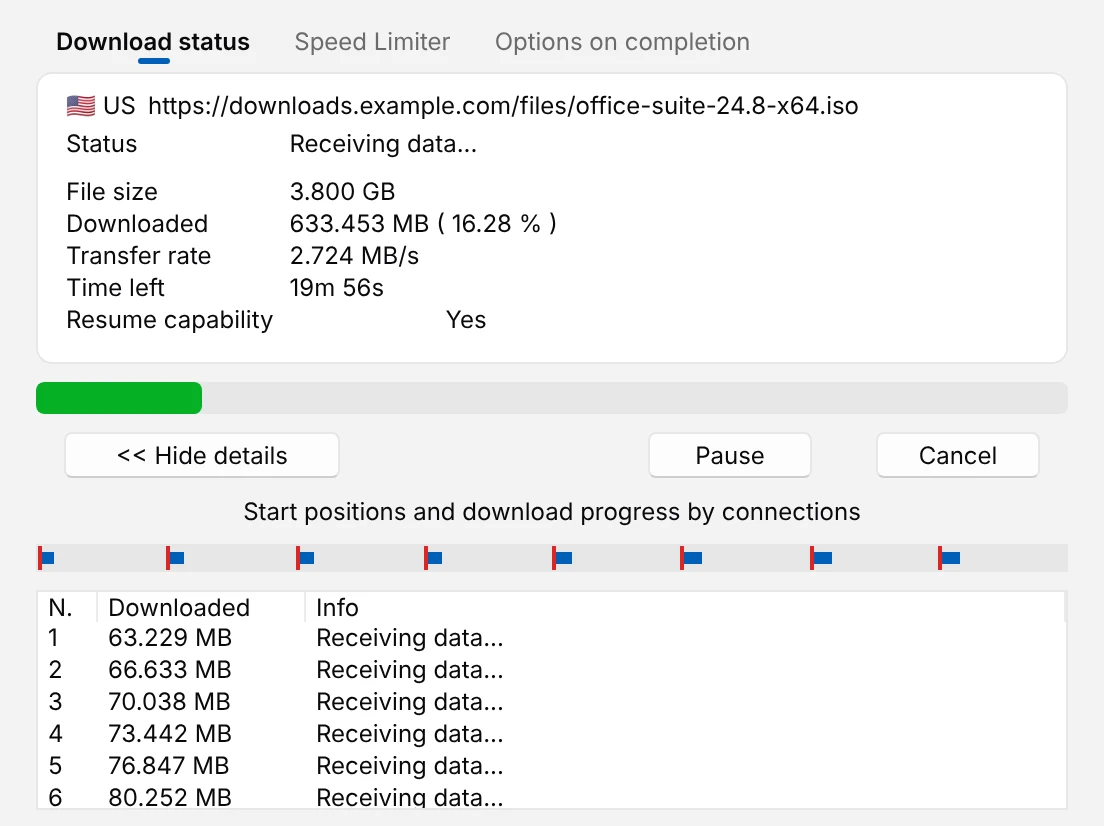
See every connection
Each download has a window of its own with its speed, the time left and the parts coming in. If the computer crashes or the connection drops, it picks up where it stopped. New link gives an expired download a fresh address and carries on.
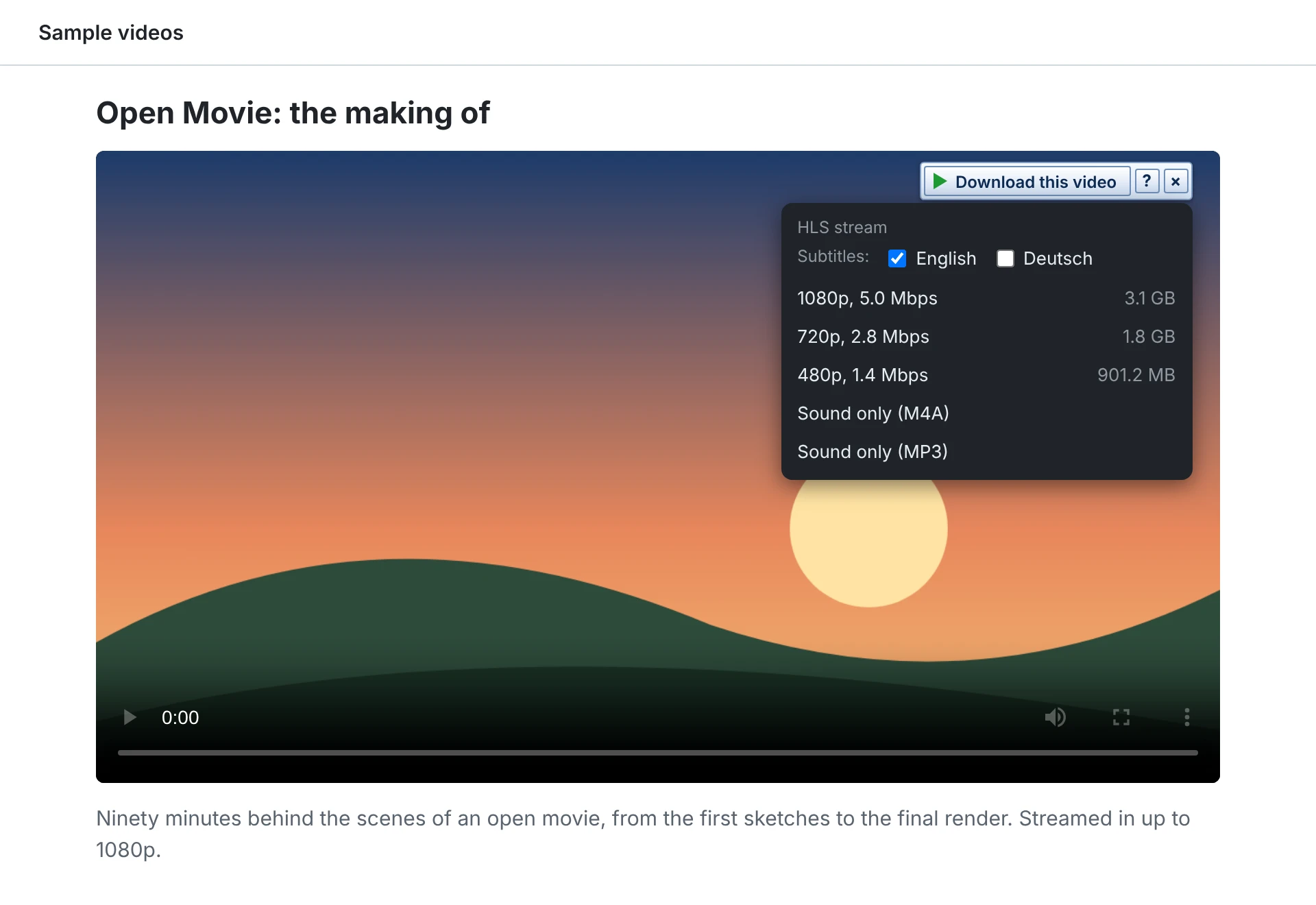
Save the video on the page
A button over a playing video lists each quality, audio track and subtitle. UDM fetches HLS, DASH and HDS streams and joins them into one file with ffmpeg, and reads YouTube, Vimeo, Facebook and Instagram pages with yt-dlp.
Download overnight
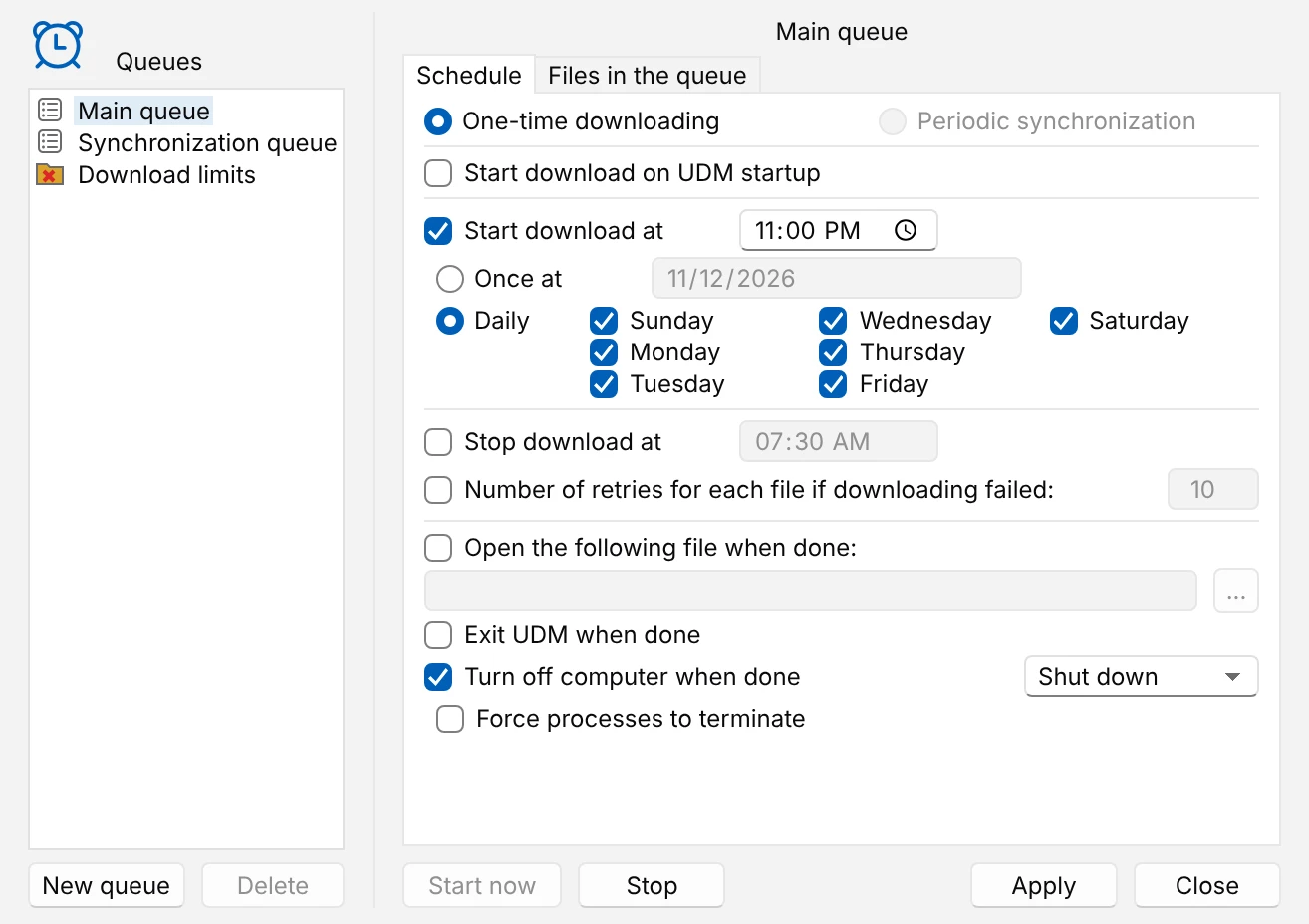
Queues start on a schedule, can wake the computer, and put it to sleep or shut it down when they finish. A quota and speed limits keep the connection free for everyone else.
Torrents in the same list
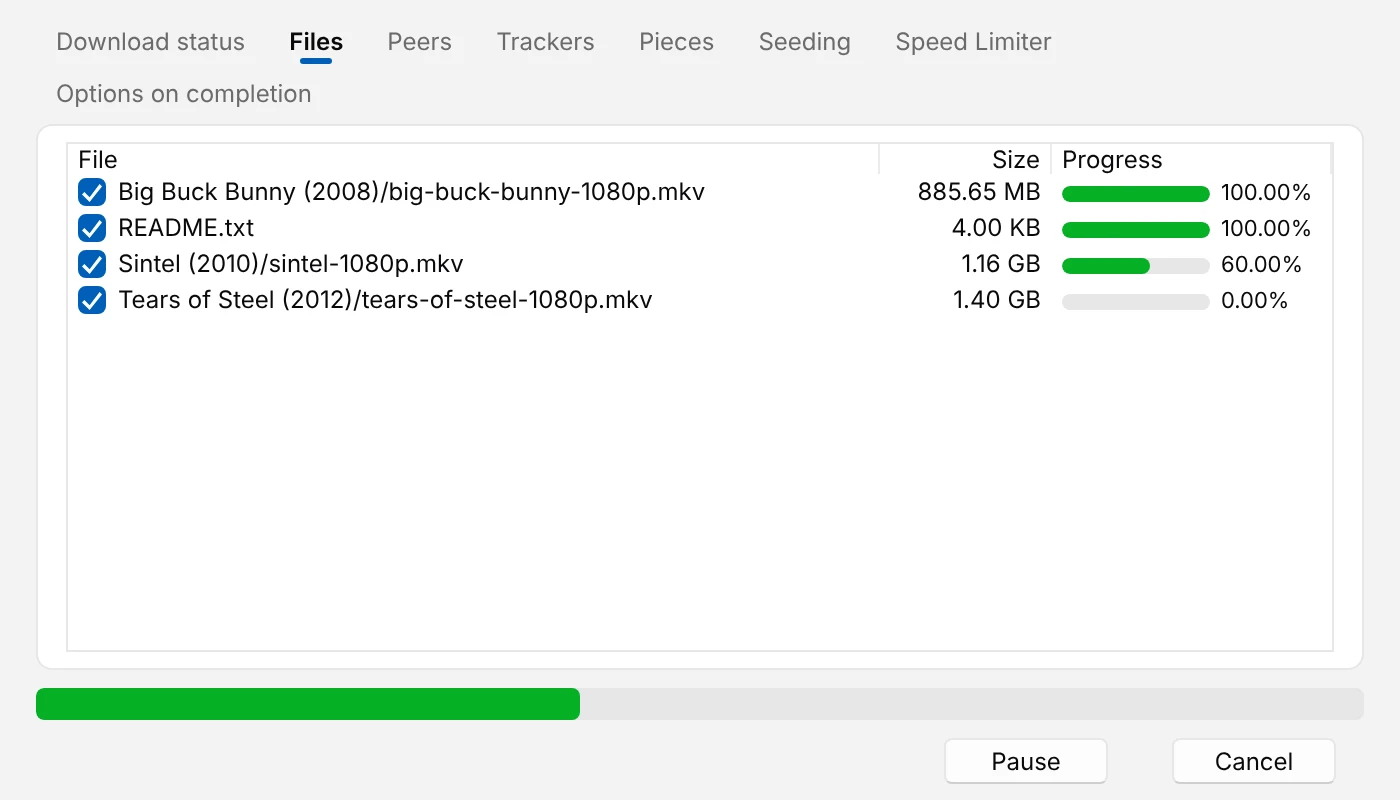
Paste a magnet link or open a .torrent file. Pick the files you want, and
the torrent waits in queues, follows the speed limit and seeds for a while when it is
done, like any other download.
And the rest of the toolbox
New to download managers? Start with your first download.
-
Faster downloads
Up to 16 connections per file, or streams over one connection when the server speaks HTTP/2. FTP works too.
-
Many files at once
Numbered patterns like
photo[001-120].jpg, pasted lists, every link on a page, or a site grabber that crawls a site for the files you want. -
Keeps going
A background program owns the downloads, so they continue after you close the browser and the window.
-
Scripts and AI assistants
IDM's command-line switches, a
udm-clitool, a versioned automation API, and an MCP server for Claude, Cursor and VS Code. -
Proxies and limits
System, PAC, HTTP, HTTPS and SOCKS proxies with site logins, a speed limit for all downloads or one, and a download quota.
-
Your language
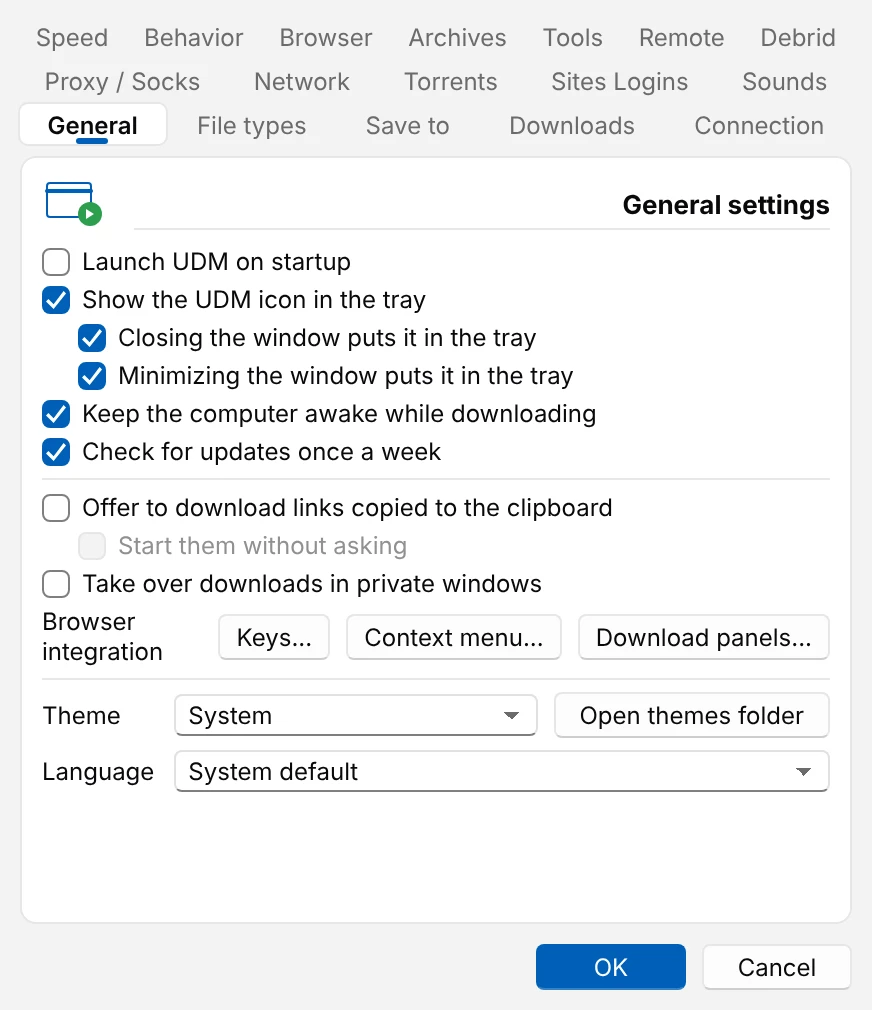
21 languages, with Hebrew, Arabic and Persian laid out right to left, and Light, Dark and High contrast themes.
UDM and Internet Download Manager
The same way of working, on every computer you use, for nothing.
| Compared | UDM | IDM |
|---|---|---|
| Windows | Yes | Yes |
| macOS and Linux | Yes | No |
| Price | Free, forever | Paid, after a 30-day trial |
| Sign-up or serial number | None | Registration needed |
| Open source | Yes (MIT) | No |
Seconds to download a 64 MiB file
UDM 0.4.0 and IDM 6.43 on one Windows machine, against a local test server that misbehaves on purpose. Shorter is better.
- The server sends the wrong ranges
- UDM3.3 s
- IDM16.1 s
- The server is slow to answer
- UDM4.0 s
- IDM6.3 s
UDM finished sooner in all eight scenarios. How it was measured
Download UDM
Every release is on GitHub. Once installed, UDM checks for a new version each week.
-
Windows
Windows 10 and 11
An installer, or a portable zip that keeps everything in its own folder.
Download for Windows -
macOS
macOS 11 or later, Apple Silicon and Intel
A disk image. The macOS build is experimental.
Download for macOS -
Linux
Ubuntu, Debian, Mint, Fedora, openSUSE and more
Download for Linux.deb,.rpm, AppImage and.tar.gzfiles.
Then add the browser extension once, and downloads you start in the browser go to UDM. The install guide walks through each system.
Questions
Is UDM free?
Yes. UDM is free and open source under the MIT License. There is no trial, no serial number, no account and no ads.
Is there an IDM alternative for Mac and Linux?
UDM works the way Internet Download Manager does, with the same save-as dialog, categories, queues, scheduler and download windows, and it runs on Windows, macOS (Apple Silicon and Intel) and Linux. The macOS build is experimental.
Which browsers does UDM work with?
UDM's extension catches downloads from Chrome, Edge, Brave, Vivaldi, Opera, Firefox and Safari, with their cookies and referrer, so files behind a sign-in work too.
Can UDM download videos?
Yes. It downloads HLS, DASH and HDS streams in the quality you pick and joins them into one file with ffmpeg, and it reads YouTube, Facebook, Instagram and Vimeo pages with yt-dlp.
Does a download resume after a crash or restart?
Yes. UDM resumes after a crash, a restart or a dropped connection without starting over, and its downloads keep going after the browser is closed.
More in the help pages and the known gaps.